Curious how to bring nature to your balcony? This introduction helps you compare popular setups like the Nestera Bird House Camera System and the Netvue Birdfy Lite. Both let you get 24/7 access to HD views and smart-feeder features that turn simple observation into a shared hobby.
Start by checking signal strength, railing fit, and the phone app experience. Most modern apps guide you through setup and let family members across the world join live feeds. Read expert reviews to match a product to your balcony layout before you buy.
Quick tips: mount where WiFi is strong, test placement before drilling, and confirm smart home integration. A low price of entry this year makes these devices more accessible, but understanding key things up front prevents frustration.
Keep reading to learn step-by-step setup actions and common mistakes to avoid.
Understanding the Appeal of Apartment Birding
High-rise residents can get a daily nature fix by creating a small, reliable observation spot on their balcony.
The British Trust for Ornithology supports using monitoring systems to study nesting in urban and garden settings. This backing shows that even small setups can yield valuable observations and help conservation efforts.
Many city species like the Chickadee and Wren adapt well and will visit feeders on a windowsill. Consistent food, a safe perch, and quiet time invite more visits and steady viewing opportunities.
Daily interaction with wildlife reduces stress and adds routine. Watching birds build nests or feed young also creates hands-on learning moments for kids and adults.
- Connection: See local wildlife without leaving home.
- Education: Learn species identification during spring and fall migration.
- Well-being: Regular wildlife viewing supports mental health.
Essential Features for a Wireless Bird Camera Apartment Setup
Focus on power and protection so your setup stays online when nature tests it.
Battery Life
A reliable battery is the backbone of any observation unit. The Nestera system pairs a 5200mA internal battery with a 15600mA lithium-ion pack in the solar panel to extend runtime.
That combination can keep the camera running for days or even months between manual charges. Use the app to monitor charge levels and set alerts before battery drops affect recording.
Weather Resistance
Choose a well-built house that shields the electronics. Nestera bird houses are made from thick Western Red Cedar to survive rain, wind, and sun.
Protection matters: the box should keep wires dry and prevent drafts in the nesting chamber. A sturdy panel mount helps hold the unit steady in high winds.
- Solar panel charging reduces the need for frequent visits.
- An integrated microphone adds audio to your live feed for fuller immersion.
- Invest in cameras and housings rated for year-round exposure to avoid costly replacements.
For product comparisons and setup ideas, see the best feeder cameras guide and choose gear that matches your balcony conditions.
Evaluating Camera Resolution and Image Quality
A higher-resolution feed makes it easier to spot subtle markings and catch behavior in real time.
Compare specs: Nestera records 2304x1296P HD at 25FPS, while the Kiwibit Bird Feeder 2 delivers 4K video and 8MP photos for much finer detail.
Why it matters: High video quality is essential to identify species by feather patterns and field marks. A 4mm lens often gives a top-down view that keeps the tray or nest centered in frame.
- Motion detection starts recording the exact moment a bird lands, so you don’t miss brief visits.
- Choose at least 2K resolution for reliable identification; 4K adds clarity but raises the price.
- A wider field of view captures off-center activity and improves overall view of your space.
“Image detail and lens choice determine whether you see a blur or a clear ID.”
The Role of Solar Power in Small Spaces
Placement and panel choice determine whether a compact system stays charged through the season.
The Nestera solar panel includes a built-in 15600mA lithium-ion battery pack that extends runtime and reduces visits for charging.
Panel Placement
Mount the solar panel where it gets the cleanest sun. Avoid shadows cast by nearby buildings and railings.
If your balcony is shaded, choose a unit with a removable battery you can swap and charge indoors every few days.
High-efficiency panels — like the triple setup used by Harymor feeders — can top the battery indefinitely when sited well. That keeps the camera and house recording for months without intervention.
- Aim for several hours of direct sun to maximize charge.
- Orient the panel per the manufacturer’s guidance for best power harvest.
- Use a compact panel if space is tight; it can still power the unit through nesting days.
“A well-placed panel turns limited sunlight into reliable, long-term power.”
Connectivity Requirements for Reliable Feeds
A consistent connection keeps your live video smooth and your alerts on time.
Most systems, like Nestera, rely on a 2.4GHz link for steady range. The Camojojo Hibird Pro can use both 2.4GHz and 5GHz, which helps in crowded networks.
Before finalizing your setup, test signal strength on the balcony to confirm the device keeps a stable connection. A weak link causes dropped recording and choppy video.
- Ensure your router supports 2.4GHz; many units need that frequency to connect.
- If the balcony is far from the router, try a range extender to improve upload and reduce gaps in the feed.
- Use the app to share access with family, but know that smooth streaming needs good upload speed.
- Keep a microSD card as a backup so local footage saves when the network falters.
“Test the link from the exact mounting spot for real-world results.”
Selecting the Right Mounting Hardware for Balconies
Choose a mount that suits your railing, glass, or portable stand before you pick a unit. The right fixings make the setup safer and the view more reliable.
Rail Clamps
Rail clamps attach firmly without drilling and are ideal for many balcony rails. They hold a camera steady and reduce sway in wind.
- Good clamps protect the railing and keep the box stable.
- The Birdfy Nest Polygon also mounts to poles or fences if rail mounting won’t work.
Window Suction Mounts
Suction mounts offer a close view through glass. They make cleaning and repositioning easy.
Tip: test suction daily in high heat or cold so the unit does not fall.
Tripod Adapters
Tripod adapters give flexible angles and quick relocation across the balcony. The Hibird DIY model uses a quarter-inch nut on a bendable arm for this style.
- Ensure hardware is sturdy for high-wind areas.
- Professional-grade mounts add a small price but protect your equipment.
- Tilt a nest box slightly forward to keep rain out of the entrance hole.
Managing Privacy and Security Concerns
Set clear sharing rules before you enable remote viewing to keep your home private. The Birdbuddy app and Nestera systems both let you grant controlled access so family and friends can watch your feeder livestream without intruding on personal space.
Most modern units focus the view on the nest or box to avoid filming neighbors. You can tighten motion settings in the app so the unit records only when birds appear. That reduces unnecessary video and limits captured footage of people.
Pick a system that uses encrypted connections so only authorized users get access. If security matters more than convenience, choose a unit with local microSD storage instead of cloud-only backups.
- Adjust motion triggers to record at the right time.
- Share access thoughtfully — invite family members with limited permissions.
- Keep firmware up to date; the price of secure systems often includes regular updates through the year.
“Treat live video like any other networked device: limit access, update often, and keep backups.”
Optimizing Your Camera for Different Bird Species
Match setup choices to local species to improve visits and capture better footage.
Start by fitting the right entrance plates. Nestera offers 1 1/3″ and 1 1/4″ hole protectors that suit Bluebirds and Chickadees. Pick a house that uses the size local species prefer for nesting.
Attracting Local Species
Use a specialized tray or a Pro Perch to broaden what visits your feeder. The Netvue Birdfy Pro Perch works well for suet, fruit, and nectar. That invites species that skip standard seed feeds.
- Entrance size: match holes to common species in your area.
- Food and tray: suet and fruit attract different birds than seed alone.
- Swap parts: some cameras let you change box components to fit nesting habits.
- App insights: use the app to learn which species arrive and when.
- Hygiene: clean the house and tray often to keep visitors healthy.
“Small tweaks to food and entry size can transform your balcony into a thriving wildlife spot.”
For more installation tips and a detailed setup guide, see the detailed setup guide.
Overcoming Common Signal Interference Issues
Interference in dense buildings often turns a clear feed into choppy video.
Signal overlap from many routers is the usual culprit. Test the connection from the exact mount spot to see real-world performance.
The Camojojo Hibird Pro supports both 2.4GHz and 5GHz bands, which helps you find a clearer channel for your bird viewing setup. Nestera units typically achieve a useful range of about 15–20m depending on walls and router placement.
- Change your router channel if the video lags; less crowded channels improve stability.
- Keep the camera unit away from metal or thick concrete that blocks signals.
- A well-placed WiFi extender near the balcony often fixes persistent drops.
- Consider the price of a higher-grade router — it can be a one-time fix for recurring issues.
“Small placement changes and dual-band support solve most interference problems.”
These steps reduce downtime and keep your box and cameras delivering smooth feeds so you can enjoy visits from local species without frustration.
Integrating Motion Detection and Alerts
Smart motion detection lets you catch brief visits without watching the feed all day. The Nestera camera sends instant alerts to your phone when motion triggers a recording, so you can open the app and view events as they happen.
The Harymor feeder lets you adjust sensitivity to reduce false alarms from wind or passing leaves. Use the app to lower sensitivity or to set a detection delay so minor motion is ignored.
Set motion zones to ignore busy areas like sidewalks and focus notifications on the box or tray. This keeps alerts relevant and reduces notification fatigue.
Short clips are recorded each time motion fires. Save and share these snippets with friends or local groups to track which species visit and at what time.
- Motion detection: captures real activity and trims useless footage.
- Sensitivity control: avoid alerts from wind-blown plants.
- Instant alerts: watch visits live via the app.
- Zone setup: ignore high-traffic areas for cleaner alerts.
“Integrate alerts into your routine so you know which visitors arrive and when.”
Best Practices for Night Vision Performance
Good night performance depends on both hardware choices and how you control stray light.
Infrared LEDs
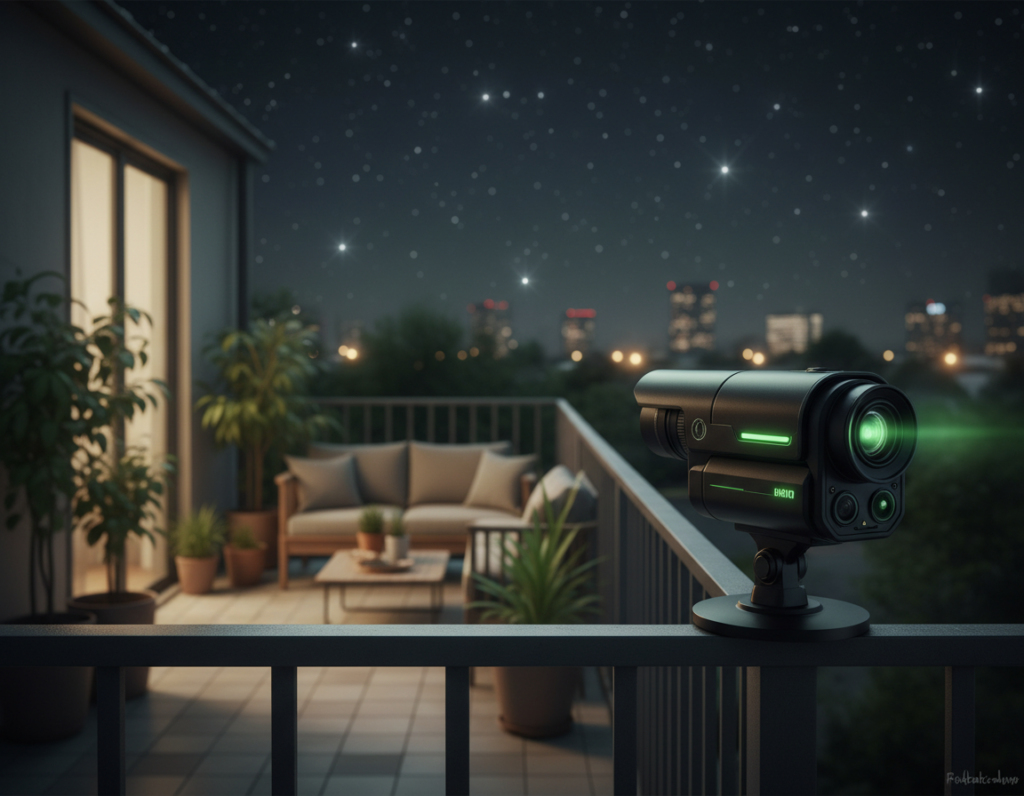
Infrared LEDs let a unit record clear black-and-white video in total dark without using visible beams that disturb the bird. Nestera units use IR to keep footage sharp while protecting nesting behavior.
The isYoung model goes further by offering full-color night vision when light allows. That improves the quality of low-light video and helps identify species from plumage tones.
Tip: sensor strength and a good lens matter as much as LED power. A stronger sensor produces clearer night vision with less noise.
Avoiding Light Pollution
Avoid bright balcony lighting and nearby streetlamps that wash out night view and alter nocturnal behavior. Shielding or angling nearby lights keeps the scene natural.
- Keep lights off near the nesting spot when possible.
- Use soft, warm downlighting if you need safety light.
- Position the unit to avoid direct glare from neighbors’ fixtures.
“Infrared lets you see after dark without changing how wildlife behaves.”
Finally, enable the built-in microphone so sound pairs with video. Night vision reveals other wildlife visits and gives a fuller, higher-quality view of activity on your balcony.
Maintaining Your Device in Urban Environments
Urban grime and weather shorten the life of outdoor gear unless you set a simple maintenance routine.
Clean the lens and solar panel often to keep image quality high. In polluted cities, wipe the house and cameras monthly so grime does not build up over the year.
Check battery levels through the app every few months. A healthy battery plus a well-placed solar panel keeps the unit running for days and months without constant visits.
Wooden houses like Nestera’s Western Red Cedar stand up well to urban weather. The Birdfy Nest Polygon needs occasional restaining on its bamboo top to retain appearance and quality.
- Wipe the tray and food area to attract more birds and reduce disease.
- Verify mounting hardware after storms to keep the box secure and the view steady.
- Monitor app alerts and firmware updates to protect power management and range.
“Regular, small checks prevent costly repairs and keep local species safe.”
Troubleshooting Common Setup Hurdles
When a setup misbehaves, a short checklist often finds the cause faster than a long search.
Start with power. If the solar panel isn’t charging, the battery may be drained. Charge the pack indoors via Micro USB to reset the unit. Once charged, return it to a sunny spot so the panel can keep the battery topped for days or months.
Next check connection and the app. Weak WiFi or limited range often breaks live video and recording. Move the router, add a range extender, or try a quick reset of the device to restore pairing.
- Open the app and confirm motion detection is set for your balcony to avoid missed events.
- If night vision or motion alerts act up, consult online reviews or the manual for model-specific tips.
- Contact Nestera support at [email protected] for pairing or power issues.
“A brief power and signal check fixes most problems quickly.”
Balancing Storage Options and Cloud Subscriptions
Choose storage based on how you use the unit and whether constant WiFi is realistic. Where footage lives affects cost, access, and long-term quality of your recordings.
Some systems require cloud-only backup and a steady connection. For example, Bird Buddy needs WiFi for cloud storage and does not support local saving.
Other models, like Netvue Birdfy, offer both microSD card and cloud options. A local card removes subscription fees and lets you retrieve motion clips if the network drops.
- Cloud perks: easy sharing with family and remote access via the app, but expect a monthly price for larger plans.
- Local card: low cost and reliable backups; high-quality 2K video can fill a card quickly, so size accordingly.
- Hybrid: use a card for motion-triggered clips and cloud for long-term archiving or sharing.
“Check whether your chosen camera supports local storage — it is the best fail-safe for important videos.”
Ethical Considerations for Urban Wildlife Observation
Put the needs of visiting species before the perfect angle or a viral clip. Ethical observation means choosing practices that protect health and natural behavior.
Clean feeders and houses often. The Cornell Lab of Ornithology stresses keeping hummingbird feeders sanitary to prevent disease. Regular cleaning reduces risk and supports a healthy local population.
Avoid flash or bright lights that could startle animals, especially during nesting. Use the app to check feeds instead of adding extra illumination. Let natural light guide recordings and viewing times.
Respect space and limit interference. Do not open the unit or touch nest chambers during sensitive periods. If you spot a sick or injured animal, stop feeding and contact a local rehabilitation center for guidance.
- Prioritize health: sanitation beats a rare shot.
- Minimize disturbance: no flash, keep activity low near nests.
- Use tech responsibly: set the app to notify you, not to tempt constant checks.
- Report concerns: call experts if an animal looks unwell.
- Plan placements: mount the unit where it supports, not stresses, wildlife.
“Being a responsible observer means understanding the needs of wildlife and ensuring your setup does not cause them harm.”
Conclusion
To finish, a thoughtful mix of power, mounts, and settings keeps your setup reliable and fun. Choose a solid panel and solar option so the unit runs longer and needs less maintenance.
Pick a camera and app that give clear video, sensible alerts, and easy access to saved clips. Use a card as a backup and tune motion so you capture real visits without constant notifications.
Prioritize species health, secure mounting, and strong image quality. With the right product and a little care, your view grows richer each year. Share clips, read reviews, and keep optimizing over time to get the most from your house, tray, and sound recordings.